MiniMax H3 Image 線上圖片生成與編輯

用文字提示生成靜態圖片,或上傳原圖,指定要保留哪些細節、修改哪些地方。每次編輯最多可用 8 張圖片(含原圖)。送出前可先查看所需點數。

深色玄武岩脊斜伸進藍綠色海水,白浪沿岸翻捲

文字生成圖片範例

圖片工作區

2048 × 2048 px

輸出張數

共 3 點(每張 3 點)

MiniMax H3 Image 實測範例

查看原始 PNG 的像素尺寸,也可以放大 WebP 預覽檢查細節。

以下範例皆使用 MiniMax H3 Image R1 實測。每個範例都附上實際用過的提示詞、輸入與生成結果。

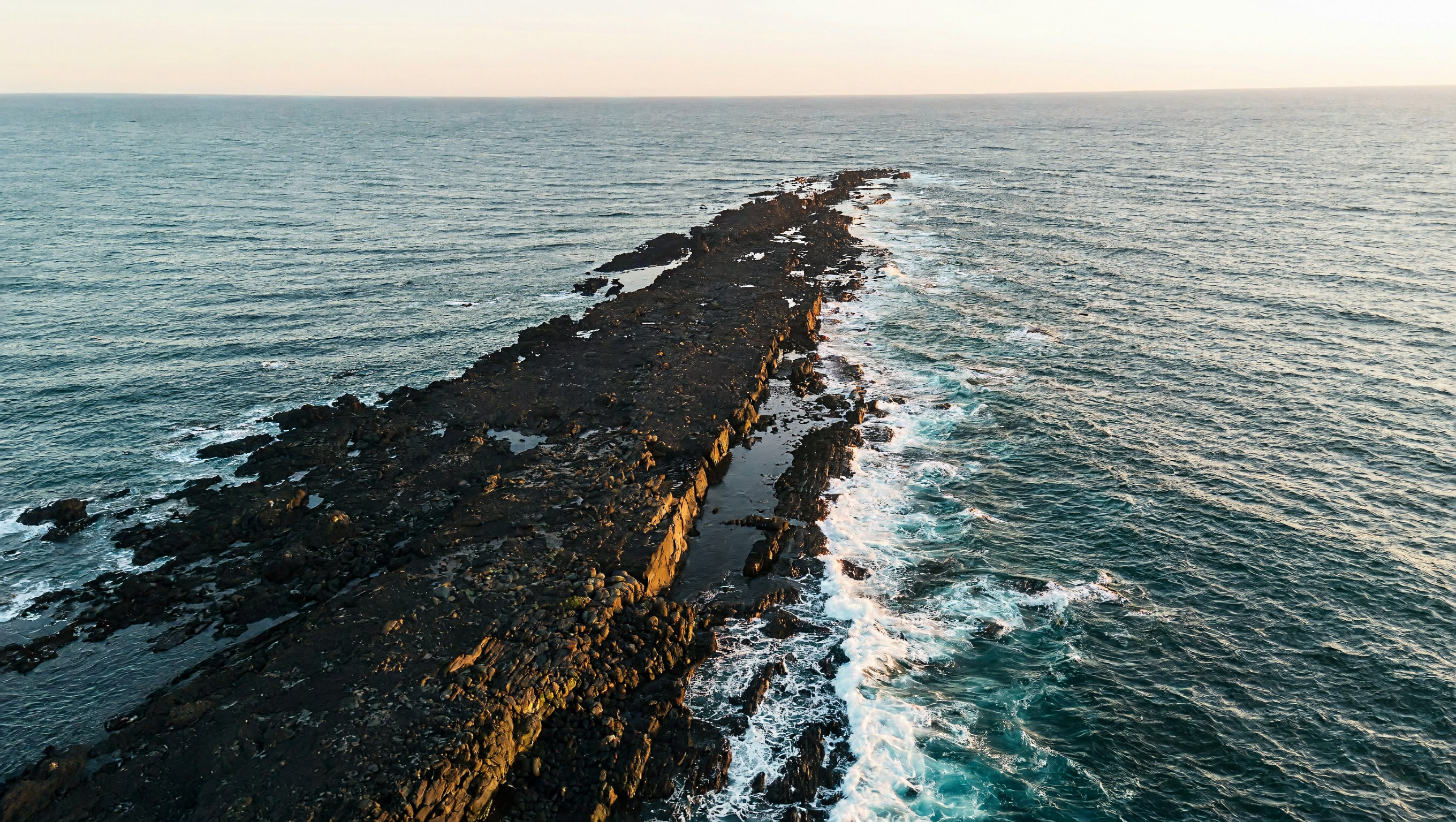
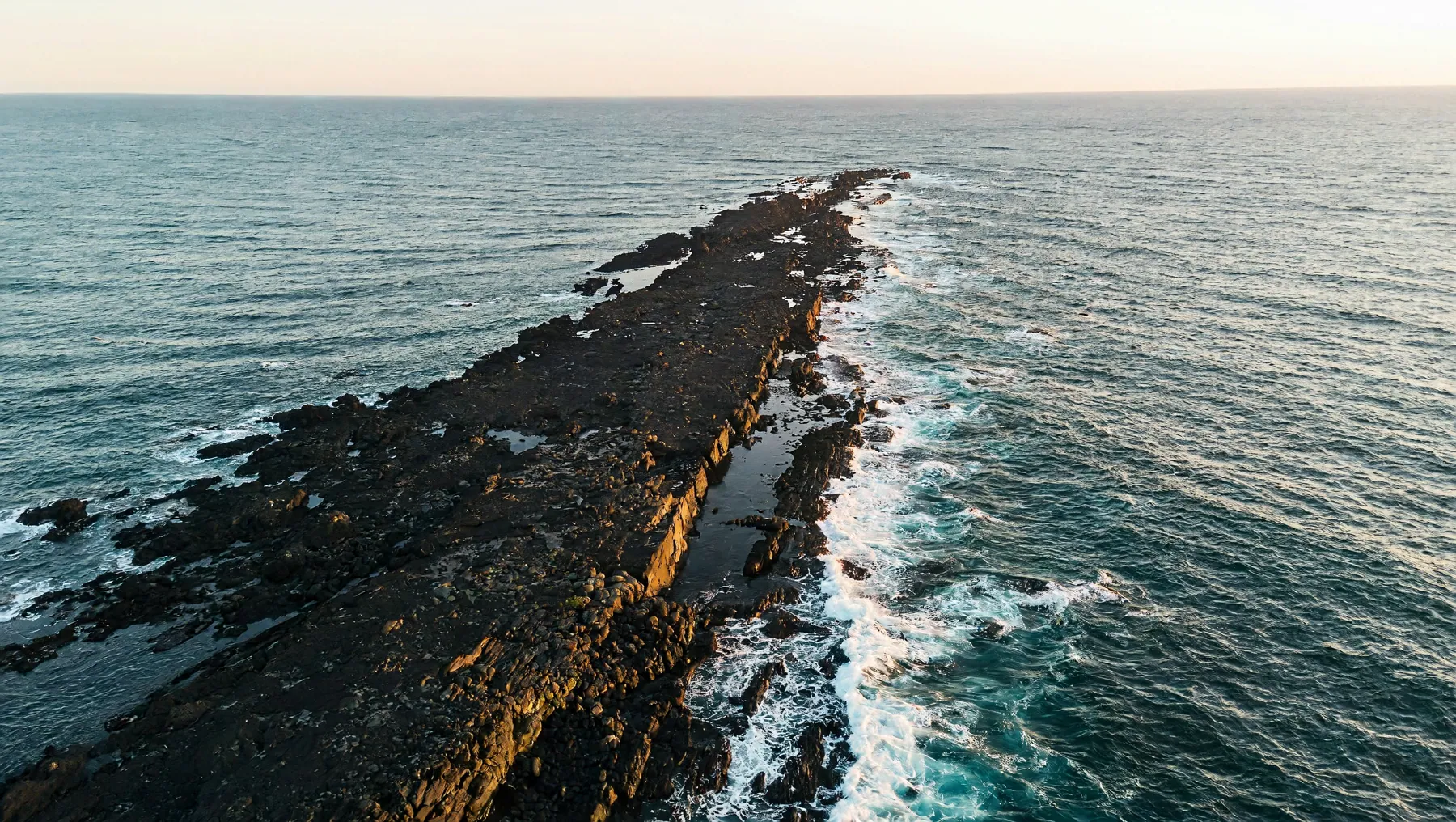
晨光照亮玄武岩脊,浪花拍打海岸。輸出結果 · 2720 × 1536

日出時的玄武岩海岸

只用一段提示詞生成空拍風景。斜向海岸線從前景的深色岩石一路延伸到地平線。

觀察重點 留意向遠處延伸的岩脊、地平線,以及藍綠海面上的白浪。

實測提示詞
A cinematic editorial aerial photograph of a black basalt coastline at dawn, seen at a downward angle from a drone. A long diagonal headland runs from the lower left into the distance; translucent turquoise water and lace-like white surf curl against dark angular rock. A narrow band of amber side light touches the wet edge of the headland, with cool atmospheric depth on the horizon. Carefully balanced asymmetrical composition, fine water and rock textures, clear tonal separation, natural color, no buildings, no lettering, no border.

提示詞翻譯 以空拍機斜向下俯拍黎明時分的黑色玄武岩海岸,呈現電影感的專題攝影風格。狹長岬角從畫面左下往遠方斜伸。透亮的青綠海水與蕾絲般的白浪拍上稜角分明的深色岩石。一道琥珀色側光掠過岬角濕潤的邊緣,遠方地平線帶有冷色空氣透視。採用平衡的非對稱構圖,保留海水與岩石的細緻紋理,明暗層次清楚、色彩自然。不要建築、文字或邊框。
靛藍海水襯出半透明傘部與纖細觸手。輸出結果 · 1728 × 2304

深藍海水中的發光水母

用文字生成直式水下特寫,讓半透明的水母在深藍海水中更醒目。

觀察重點 傘部邊緣泛光,纖細觸手在深色海水中仍清楚可見,有幾根延伸到畫面之外。

實測提示詞
A portrait-format underwater macro photograph of one luminous moon jellyfish suspended in deep indigo water. Its delicate translucent bell glows soft periwinkle and cyan, fine long tentacles curve naturally down in a continuous sweep, with faint pink iridescence along the rim. One narrow shaft of cool light enters from above left, scattered tiny marine particles, deep blue-violet background with a subtle gradient and ample negative space, dramatic but believable underwater lighting, crisp detail on the bell, no lettering.

提示詞翻譯 直式水下微距攝影。一隻發光的海月水母懸浮在深靛藍色海水中,細緻的半透明傘部泛著柔和的淡紫藍與青色光芒。細長觸手自然連續地向下彎垂,傘緣帶淡粉色虹彩。從左上方照入一道窄窄的冷光,水中散布細小懸浮微粒。深藍紫背景帶細緻漸層,保留大片留白。水下光線有戲劇張力且自然可信,傘部細節清晰。不要文字。

1.虛構的 Larkspur 港口原始地圖,中央碼頭上標有指定視角。
從中央碼頭向外望的黃昏概念圖。輸出結果 · 2720 × 1536

用港口地圖生成碼頭視角

將虛構港口的俯視地圖設為圖片 1,指定以中央碼頭標記的位置生成場景概念圖。

觀察重點 燈塔在左,泊位在右,拱橋位於泊位後方。生成圖多了一處連接,拱橋接上了原始地圖中沒有相連的中央碼頭。

實測提示詞
Use <Picture 1>, an overhead map of a small fictional harbor, as a spatial guide for a cinematic photorealistic concept view at warm dusk. Render from the map’s marked viewpoint on the central pier, at standing eye level looking north out of the harbor. In the foreground see the timber decking leading away from the camera and the mooring berths on the right, one small boat beside the right floating dock. The harbor’s pale stone lighthouse is across the water on the LEFT rocky headland in the middle distance. The low pale arched pedestrian bridge is farther ahead on the RIGHT, crossing a narrow inlet just behind and to the right of the berths. Do not put the bridge behind the lighthouse. Open sea and a warm fading horizon straight ahead between the left headland and right breakwater. A small amber lamp glows on the lighthouse, reflected in blue-green water. Emphasize near, middle and far depth. Natural warm cinematic dusk lighting, credible coastal architecture and weathered timber, calm clear atmosphere. Do not render the overhead view, map graphics, arrows, labels, lettering, or any inset.

提示詞翻譯 以 <Picture 1> 的虛構小港俯視地圖作為空間參考,生成暖色黃昏下具電影感的寫實概念圖。從中央碼頭上標記的位置,以站立時的視線高度向北望向港外。前景是向遠方延伸的木板碼頭,右側有泊位,一艘小船靠在右側浮動碼頭旁。淺色石造燈塔在水對岸左側的岩石岬角上,位於中景。低矮的淺色行人拱橋在更遠的右方,橫跨泊位右後方的狹窄水道。不要把橋放在燈塔後方。正前方是左側岬角與右側防波堤之間的開闊海面和暖色漸暗的地平線。燈塔亮起小小的琥珀色燈光,倒映在藍綠海水中。強調前景、中景和遠景的深度。使用自然且有電影感的暖色暮光,海岸建築與風化木材要寫實,氣氛平靜清澈。不要呈現俯視圖、地圖圖示、箭頭、標籤、文字或插圖小框。

1.以 AI 生成的灰色棚拍原圖。
灰色桌面與背景換成藍綠色。輸出結果 · 2496 × 1664

替商品照換背景

將棚拍照設為圖片 1,要求保留陶壺的外型和拍攝角度,只換桌面與背景。

觀察重點 壺口、右側環形把手和整體輪廓仍可辨識。場景從灰色換成藍綠色,釉面紋理與光線也有些變化。

實測提示詞
Edit <Picture 1>. Keep the original vermilion red ceramic jug unchanged: its round silhouette, open neck, single right-side loop handle, grooves at its foot, scale and exact three-quarter angle must stay the same. Preserve its location and the original crop. Change only the gray table to a flat matte jade-teal plinth and the gray wall to a soft blue-green studio backdrop. Maintain realistic contact shadow and soft side light, preserve the red glaze and its texture, leave the whole product visible and add no props, no text.

提示詞翻譯 編輯 <Picture 1>。完整保留朱紅陶壺原有的圓形輪廓、敞開的壺口、右側唯一的環形把手、底部凹槽、大小與三分之四側面角度。保留它在畫面中的位置和原始裁切。只把灰色桌面換成平整的霧面翡翠藍綠展示台,灰牆換成柔和的藍綠色棚拍背景。保留寫實的接觸陰影、柔和側光及紅釉紋理。商品需完整入鏡,請勿添加道具或文字。

1.用這張房間原圖決定鏡頭角度、門窗位置和地板。
2.以這張圖參考皮革和外露木框。
3.以這張圖參考地毯的配色與棋盤格花紋。
將椅子與地毯放進原來的房間。輸出結果 · 2496 × 1664

用 3 張參考圖布置空房

圖片 1 放房間,圖片 2 放椅子,圖片 3 放地毯。用提示詞分別指定每張圖的用途。

觀察重點 成圖中有一張椅子和一張地毯。橡木門仍在左側,高窗仍在右側,地毯四周仍看得見木地板。

實測提示詞
Create one photorealistic interior from these three ordered references. Use <Picture 1> as the exact base photo: keep its camera position, framing, pale apricot limewash, existing oak door on the back left, single tall window on the right and the existing warm plank floor. Use <Picture 2> as a product reference and add exactly one cognac-brown leather lounge chair with the same exposed dark walnut frame, centered just right of the middle and gently turned toward the camera. Use <Picture 3> as a product reference and add exactly one flatwoven cream-and-rust checkerboard rug on the floor under the chair, its front and side edges clearly visible in the foreground. Both new objects must fit naturally into the room's perspective and scale, with believable floor contact and shadows. Keep the original architecture visible. Cool window light against warm room surfaces. Add no other furniture, objects, people or lettering.

提示詞翻譯 依照順序使用這 3 張參考圖,生成一張寫實的室內照片。以 <Picture 1> 為原圖,保留相機位置、取景範圍、淡杏色石灰塗料牆面、左後方的橡木門、右側唯一的高窗和原有的暖色木板地板。以 <Picture 2> 為商品參考,只加入一張干邑棕色皮革休閒椅,保留同款外露深色胡桃木框,放在略偏右的位置並稍微朝向鏡頭。以 <Picture 3> 為商品參考,只加入一張奶油色與鐵鏽色棋盤格平織地毯,鋪在椅子下,讓前緣及側緣都清楚入鏡。新物件需符合房間的透視和比例,接地與陰影要自然可信。保留原有建築元素,讓窗戶透進來的冷光對比室內的暖色調。不要加入其他家具、物件、人物或文字。

黃色 NIGHT SIGNAL 標題與圓形喇叭圖案,搭配藍紫底色。輸出結果 · 1728 × 2304

生成帶簡短標題的活動海報

用一段提示詞指定海報的色彩、版面,以及虛構音樂活動的標題原文。

觀察重點 NIGHT SIGNAL 在海報上方排成一行。可檢查拼字,以及縮到手機大小時,黃色標題是否仍清楚。

實測提示詞
Create a striking portrait-format two-ink screen-printed event poster for a fictional independent evening music event. Deep saturated cobalt-violet paper with warm neon lemon-yellow ink. One huge circular stylized yellow speaker cone in the center, concentric rippling sound rings fading into a halftone pattern, editorial graphic design, confident clean grid, and subtly tactile ink grain. The only visible text on the entire poster must be the exact two words NIGHT SIGNAL, set on one line in large, highly legible heavy yellow uppercase sans-serif type near the top, with generous margins. Spell NIGHT SIGNAL exactly. No other letters, numbers, text, dates, logos, or signatures. Leave space around the headline. Keep the graphic bold and uncluttered.

提示詞翻譯 替一場虛構的獨立音樂夜間活動設計醒目的直式雙色網版印刷海報。使用濃郁的鈷藍紫紙張和偏暖的螢光檸檬黃油墨。中央放一個巨大的黃色圓形喇叭振膜,同心聲波逐漸化為半色調網點。採用刊物式平面設計、俐落明快的格線,保留細微的油墨顆粒感。全張海報只顯示 NIGHT SIGNAL 兩個英文單字,靠近上緣排成一行,以大而清晰的黃色粗體無襯線大寫字呈現,並留足邊距。NIGHT SIGNAL 必須拼寫正確。不要加入其他字母、數字、文字、日期、標誌或簽名。標題周圍留白,圖案鮮明簡潔。

如何用 MiniMax H3 生成或編輯圖片

教學截圖採用英文介面。

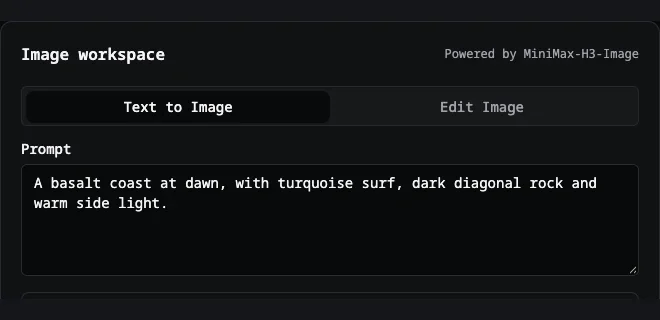
  1. 圖片工作區,提示詞欄位上方有文字生成圖片和編輯圖片頁籤 — 教學截圖採用英文介面。

    選擇模式

    要從零開始,選「文字生成圖片」並描述主體、場景和光線。要改現有圖片,選「編輯圖片」後上傳原圖。

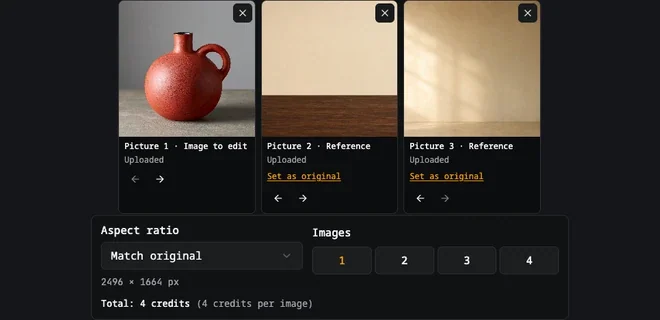
  2. 圖片編輯介面上顯示上傳圖片的編號、長寬比、輸出張數和所需總點數 — 教學截圖採用英文介面。

    寫提示詞並確認點數

    說明哪些地方要保留或修改,用編號指稱上傳的圖片。選擇長寬比與 1–4 張輸出,再確認所需總點數。

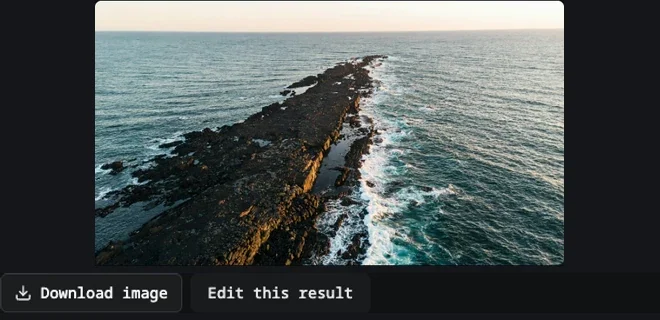
  3. 成圖預覽提供下載圖片與編輯此結果的按鈕 — 教學截圖採用英文介面。

    檢查成圖、下載或接著改

    在預覽中檢查構圖。下載 PNG,以原尺寸核對文字和細節;也可選擇「編輯此結果」繼續修改。

在 ComfyUI 執行 MiniMax H3 Image 工作流程

網頁工作區可直接上傳圖片、調整設定和下載成圖。若要在 ComfyUI 執行模型,可從文字生成圖片或圖片編輯的對應範本開始。

ComfyUI 官方工作流程範本與設定說明

MiniMax H3 Image 輸出規格

規格核對日期為 2026 年 11 月 12 日

本頁工作區

每張約 400 萬像素,正方形輸出為 2048 × 2048。每次編輯最多使用 8 張圖片(含原圖),每次可輸出 1–4 張 PNG。

MiniMax 官方模型與 API

官方模型可原生生成 4096 × 4096(約 1,600 萬像素)的圖片。官方 API 文件列有 4K 面積設定,每筆編輯請求最多可用 16 張圖片。

常見問題

如何在線上生成或編輯靜態圖片?

從文字開始可選「文字生成圖片」。要修改現有圖片,請選「編輯圖片」,把原圖放在第 1 格。以編號指稱其他參考圖,並說明要保留或修改哪些細節。

一次可以上傳幾張、生成幾張?

編輯最多可用 8 張圖片(含原圖)。支援 JPEG、PNG、WebP 靜態圖片,每張上限為 10 MB、2,500 萬像素。每次可產出 1–4 張 PNG 供下載。長寬比可選 1:1、3:2、2:3、16:9、9:16、4:3 或 3:4。「編輯圖片」中的「沿用原圖比例」支援長寬比在 1:3 到 3:1 之間的原圖。

如何指定每張參考圖的用途?

在提示詞裡寫出圖片編號與要參考的細節。例如保留圖片 1 的房間與拍攝角度、加入圖片 2 的椅子,再使用圖片 3 的地毯紋理。移動或移除圖片後,請重新核對編號。

本站的 MiniMax H3 Image 能用遮色片或筆刷局部編輯,並鎖定選取範圍外的像素嗎?

此工作區不提供遮色片或筆刷選取工具。請上傳完整圖片,用提示詞說明要修改及保留的內容。提示詞編輯也可能重繪其他區域,不能保證目標範圍外的像素不變。使用結果前,請下載並以原始尺寸檢查整張圖片。如需精確保留像素,請在一般影像編輯器中另外選取與合成,並核對最終像素。

這裡可以生成 4K 圖片嗎?

本頁的標準輸出約為 400 萬像素,例如正方形為 2048 × 2048。MiniMax 官方模型與 API 的 4K 選項請參考上方規格。

每次生成或編輯需要多少點數?

文字生成圖片每張需 3 點,編輯圖片每張需 4 點。 生成與編輯需登入帳號並使用點數。送出前,工作區會顯示目前所需的總點數。系統會退還每張標示為失敗的圖片所用的點數。

可以把成圖做成影片嗎?

先下載 PNG,再開啟影片生成工具,選擇「圖片轉影片」,將 PNG 上傳為起始影格。 開啟圖片轉影片工具

從一個點子或一張原圖開始

輸入提示詞做一張新圖,或上傳圖片開始編輯。

開始製作