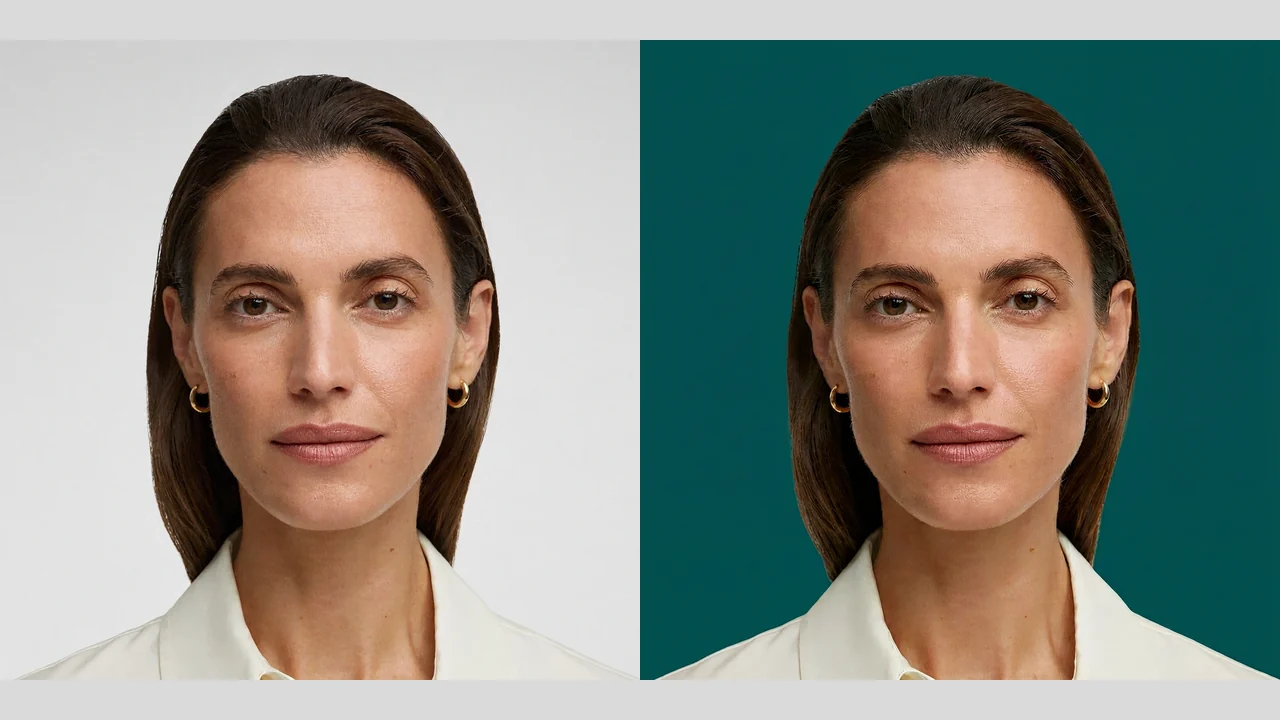
In one MiniMax H3 Image edit, a fictional portrait’s light gray background turned deep teal. The straight-on framing, gaze and closed-mouth expression looked similar in the first output. Some eyebrow hairs and lashes looked sharper, and coarse lines and a bright patch on the lower lip stood out more.
Compare the full portrait and the hair edge
Source with a light gray background · 900 × 900 preview

First output with a deep teal background · 900 × 900 preview
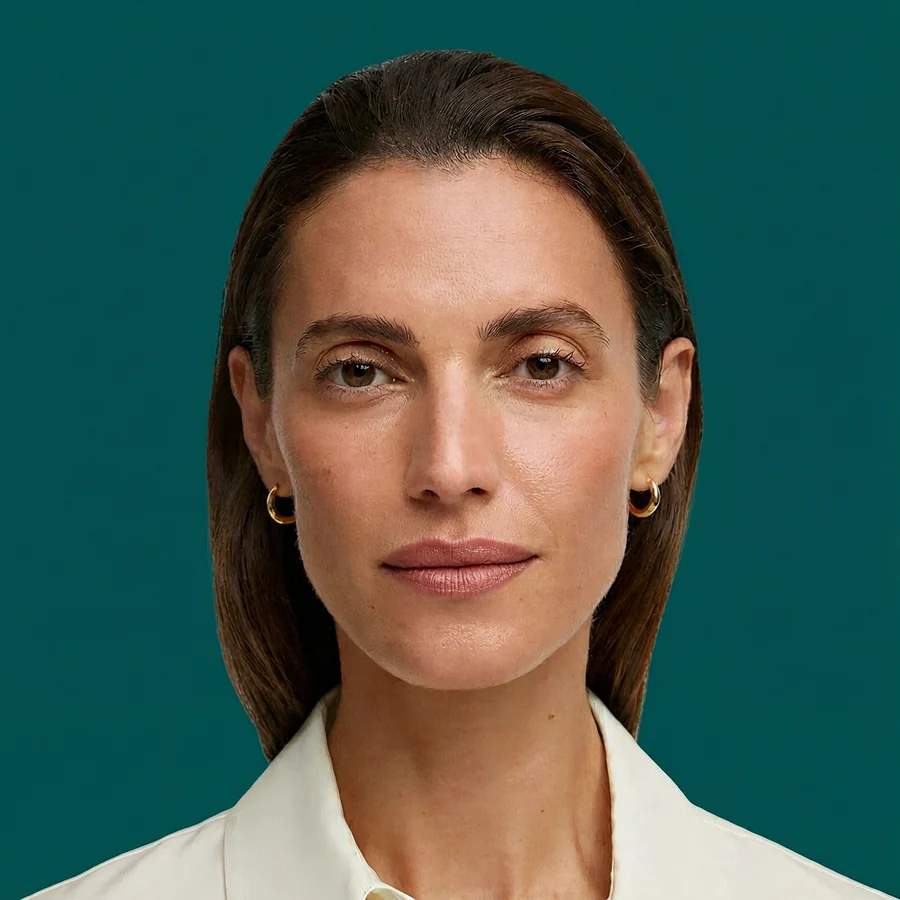
In a blind comparison, the gold hoops and ivory collar looked similar in overall shape and position, with differences in local highlights and shadows. Some fine separations between strands at the left edge were easier to see against the original light background. Changing the backdrop also changes the contrast there, so the crop alone cannot establish which strands were redrawn.
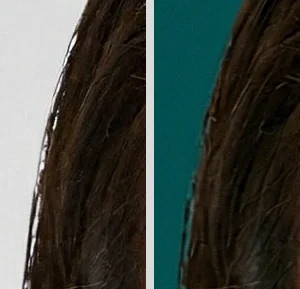
The hair crop is a 146 × 289 pixel region from each file, starting at x=476, y=457 from the top left. Those boxes include background pixels the edit was intended to change. The two sampled background boxes changed from median RGB (212, 212, 212) and (225, 225, 225) to (3, 78, 79) and (4, 77, 79). These are local readings. The mean absolute difference across RGB channels at matching coordinates was 10.9 in the left eye and brow box and 10.6 in the closed-lip box on a 0–255 scale. These readings describe pixel changes. Face identity and subject fidelity were not certified.
Download the actual input WebP (647,430 bytes) · Download the first-output PNG (5,529,632 bytes). Both files are 2048 × 2048. The public PNG was re-encoded to remove metadata, with decoded RGB checked against the original model output. Use the full-size files for pixel inspection.
The prompt and settings
We used one original synthetic adult portrait as Picture 1 and requested one square image in an isolated MiniMax H3 Image edit. The preset seed was 2026111901. We retained the first output from one request. The seed identifies the isolated run. The public workspace is a separate run with its own settings and quote.
Edit <Picture 1> into one square studio portrait. Replace only the plain light gray background behind the person with a solid, matte, deep teal backdrop. Keep the original person, facial shape, nose, exact closed-mouth expression, muted pink lipstick, brows, gaze, skin texture, hairline and individual edge wisps, both gold hoop earrings, and ivory collar. Keep her position, size, head angle, framing, and soft neutral frontal light. Do not tint her skin, hair, jewelry or clothes with teal. Do not retouch or add text, props, shadows on the person, or any other people. Return one image.Try the edit manually
- Download the full-size source WebP.
- Open the MiniMax H3 Image workspace, select Edit Image, sign in and upload the WebP as Picture 1.
- Choose 1:1 and one output, paste the prompt above and wait for the upload to finish. Check the current credit quote and your balance before selecting Edit image.
- Compare the full result and look closely at the eyes, lips, hair edge, earrings and collar.
This isolated model run examined one fictional portrait. It provides no repeatability estimate or production billing measurements.