MiniMax H3 Blog
Blog
Read about our latest product features, solutions, and updates.

Can MiniMax H3 Image Change Only a Portrait’s Background?
A single MiniMax H3 Image edit changed a fictional portrait from light gray to deep teal. Compare what happened to the face, hair and earrings.
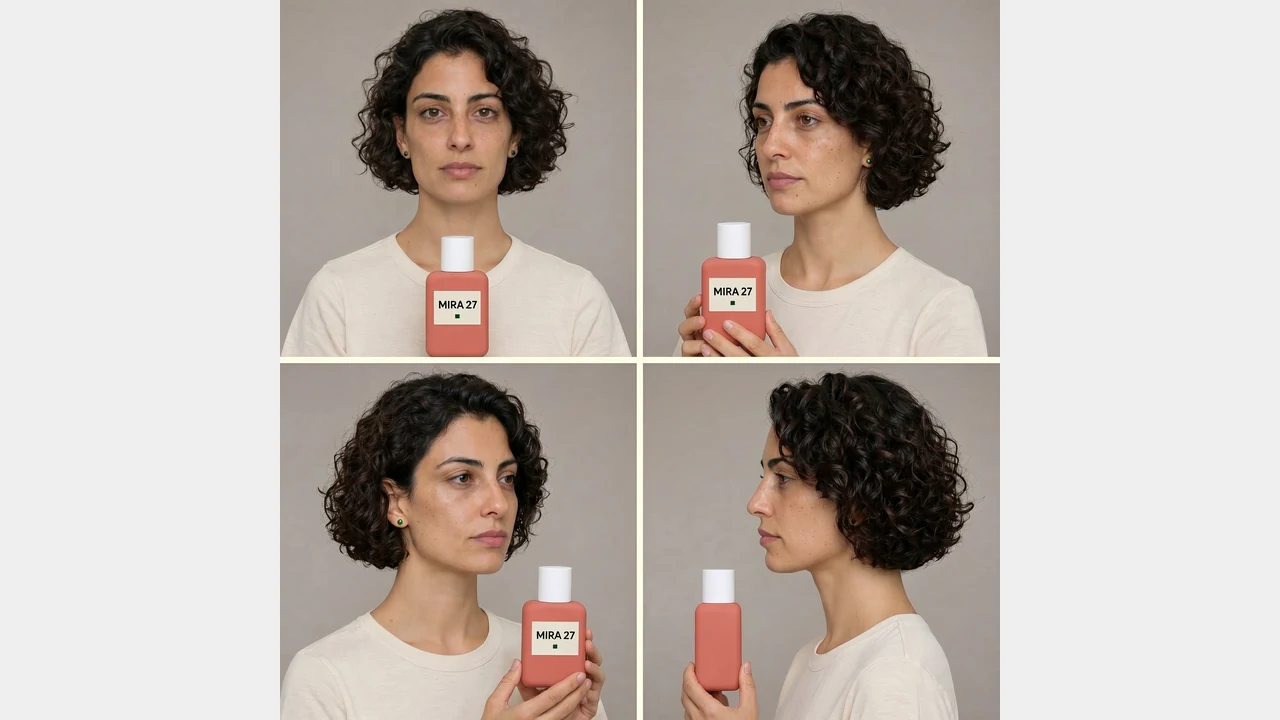
MiniMax H3 Image Made a Four-Panel 2×2 Beauty Storyboard
One MiniMax H3 Image edit made a 2×2 storyboard with four shots and a readable MIRA 27 label in three panels. See the full prompt and panel-by-panel review.
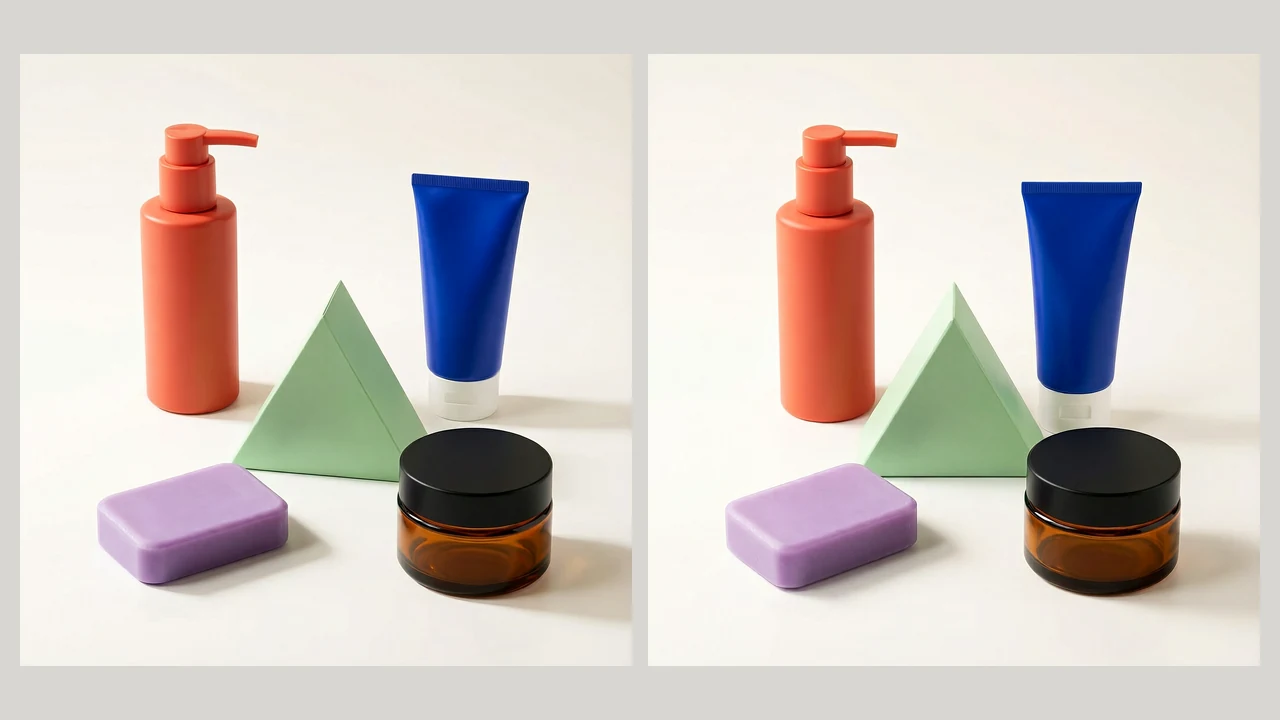
Combine Five Product References in MiniMax H3 Image
Compare five product references with and without a sixth placement guide, then see an eight-input baseline and separate swaps of Pictures 7 and 8.
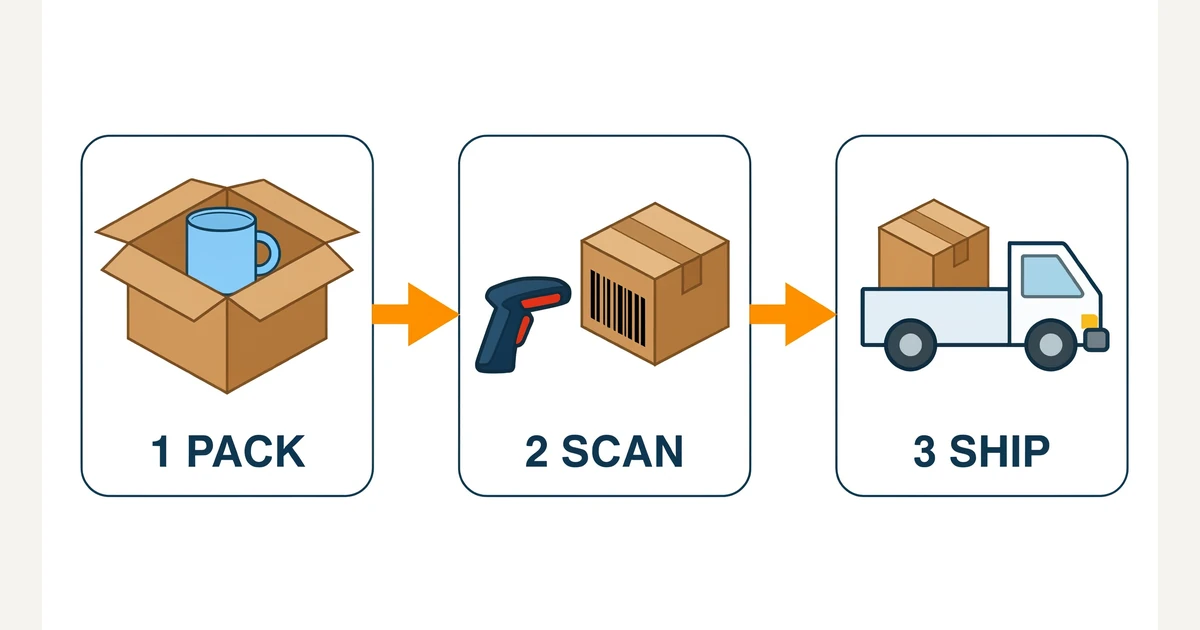
MiniMax H3 Image Flowchart: Check Labels, Icons and Arrows
One first PNG pairs three short labels with packing, scanning and shipping icons. Inspect both arrows, the complete prompts and the limits of a raster diagram.
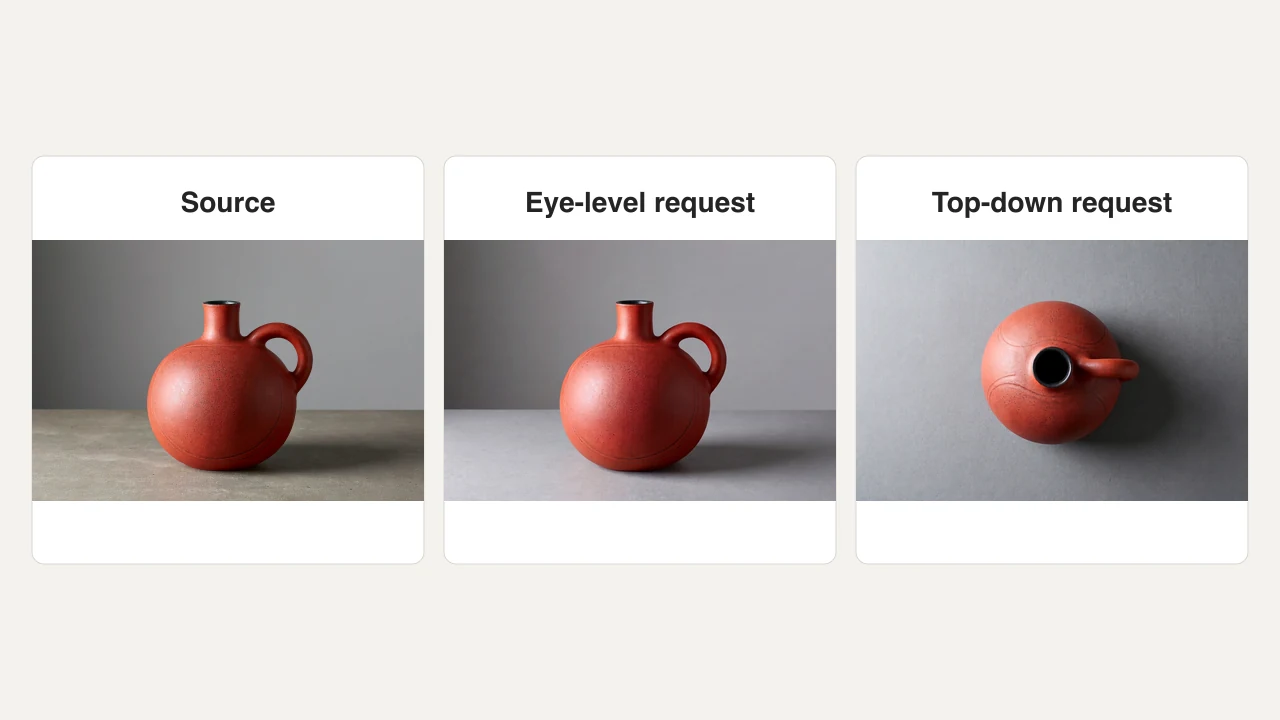
Can MiniMax H3 Image Change a Product’s Camera Angle?
Two independent edits of one red jug: a near-frontal result and a near-top-down result. Compare the input, both prompts and the limits of unseen geometry.
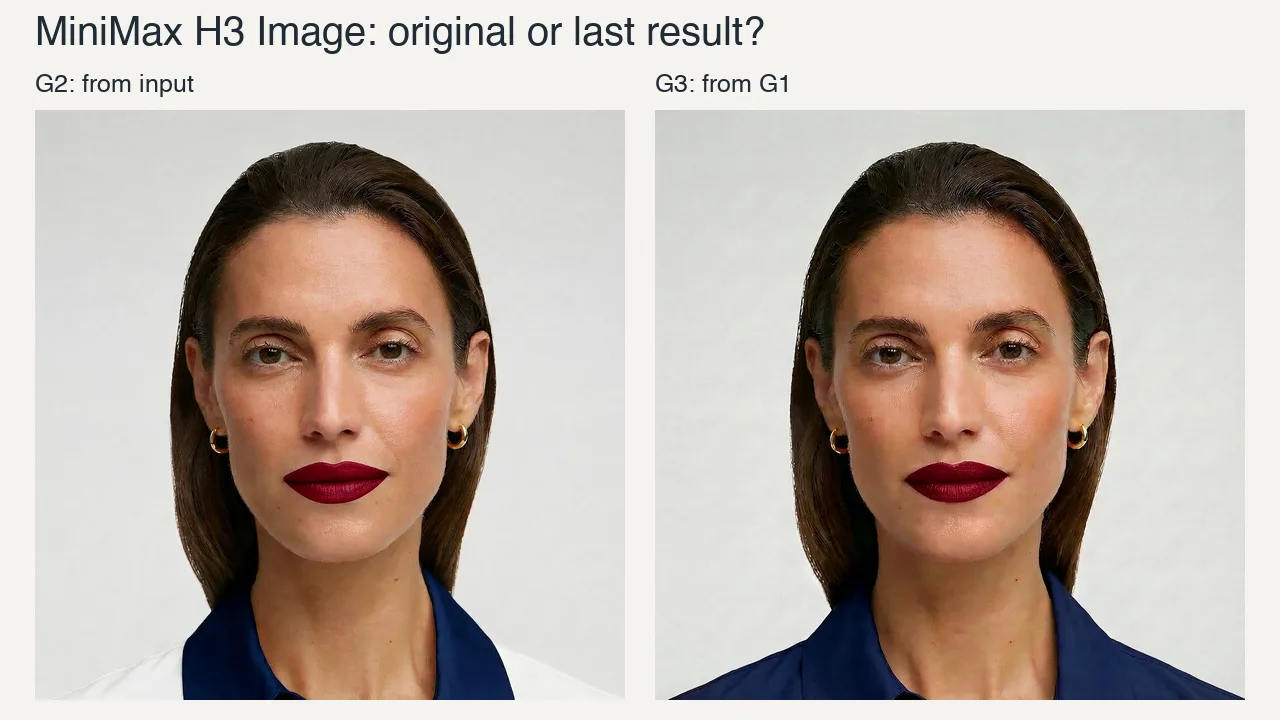
MiniMax H3 Image: Edit the Original or the Previous Result?
Three real portrait edits compare starting again from the source with editing a previous result. See the input chain, full prompts, PNGs and unintended shirt changes.
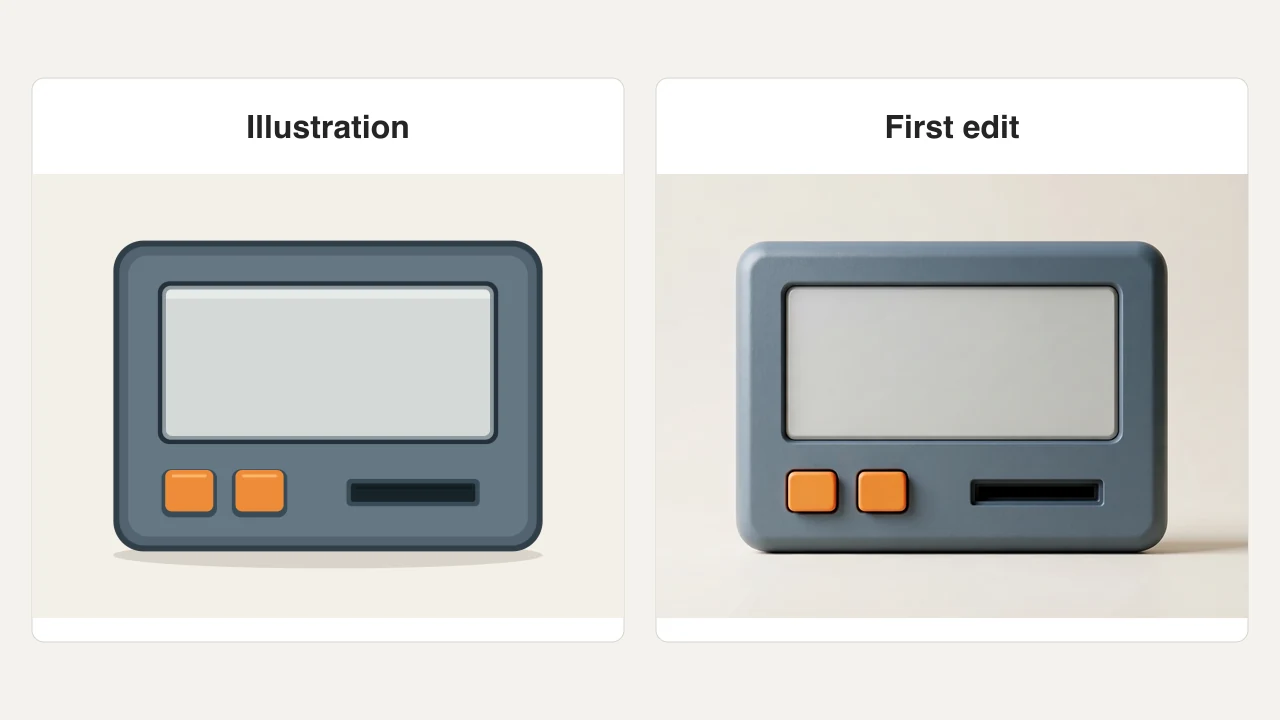
MiniMax H3 Image: Product Illustration to Photo-Style Concept
One edit turns an original geometric controller illustration into a photographic-looking concept. Compare its panel, two buttons, one port and reshaped details.
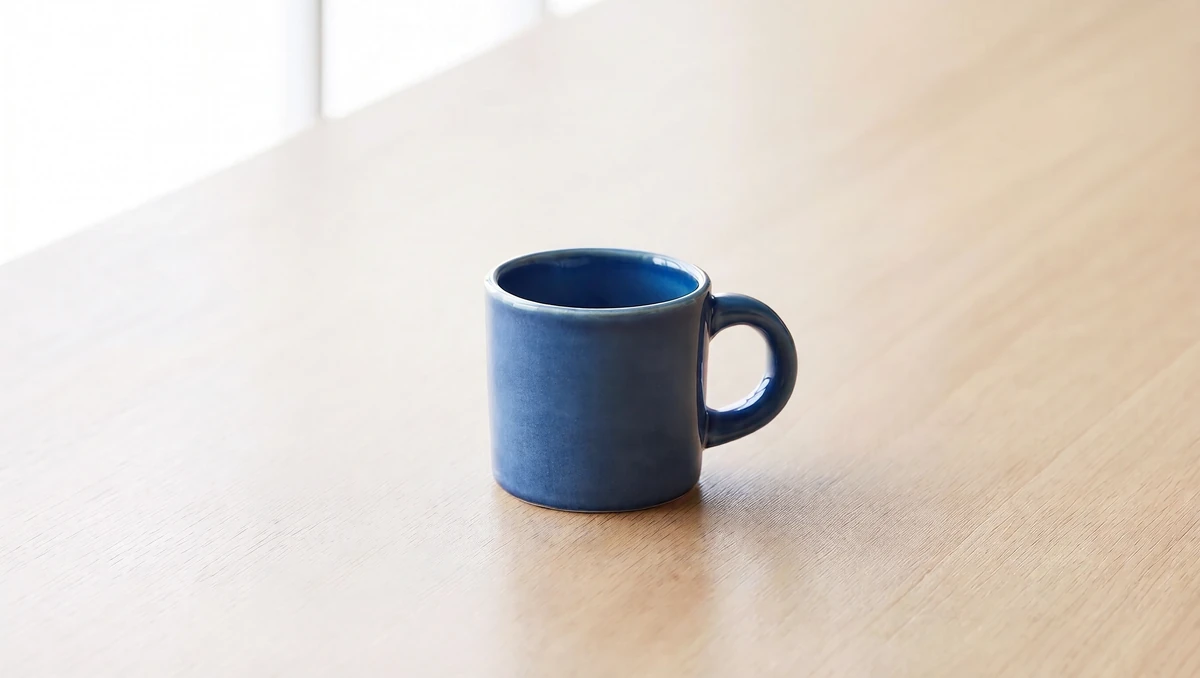
Can MiniMax H3 Image Turn a Square Photo into a Wide Banner?
Follow one real square-to-banner edit: a blue mug stayed fully visible in a wider composition. Compare the input, output, prompt and limits of subject preservation.
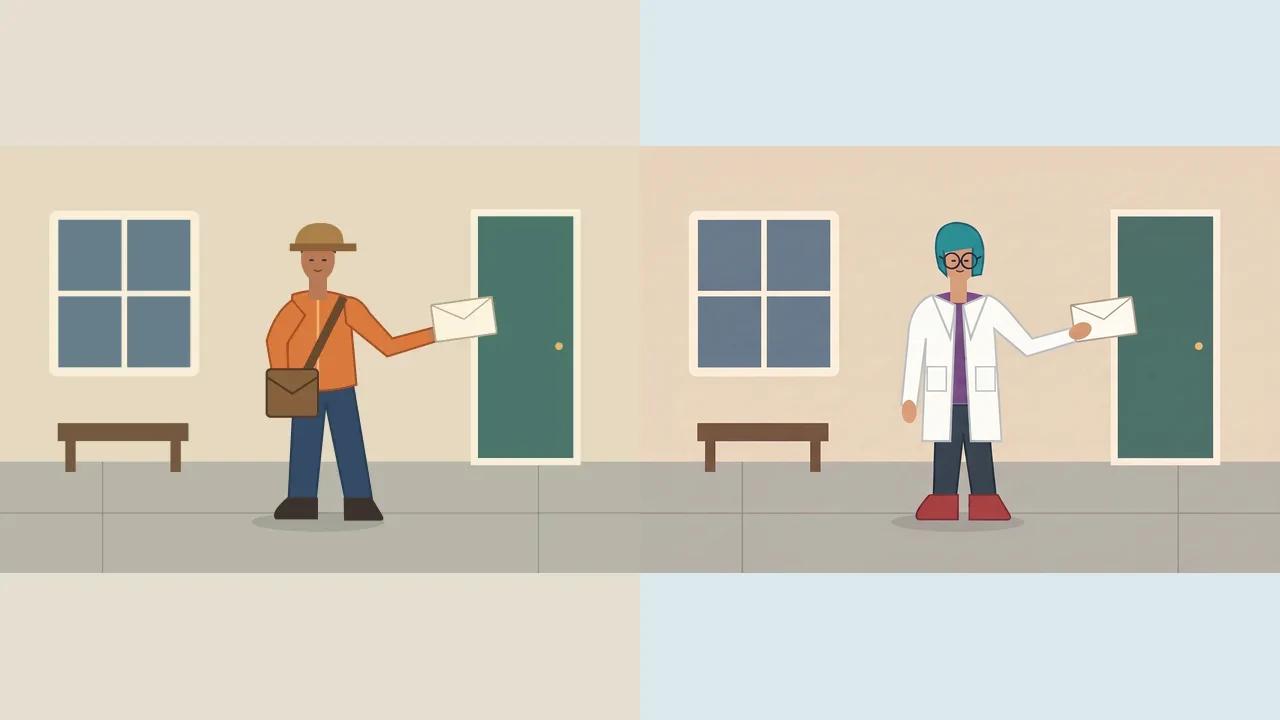
Replace a Character with Two Images in MiniMax H3 Image: Does the Pose Stay?
Compare two original references, the exact editing prompt and one output. The new character appears, but one arm and the leg stance drift from the scene reference.
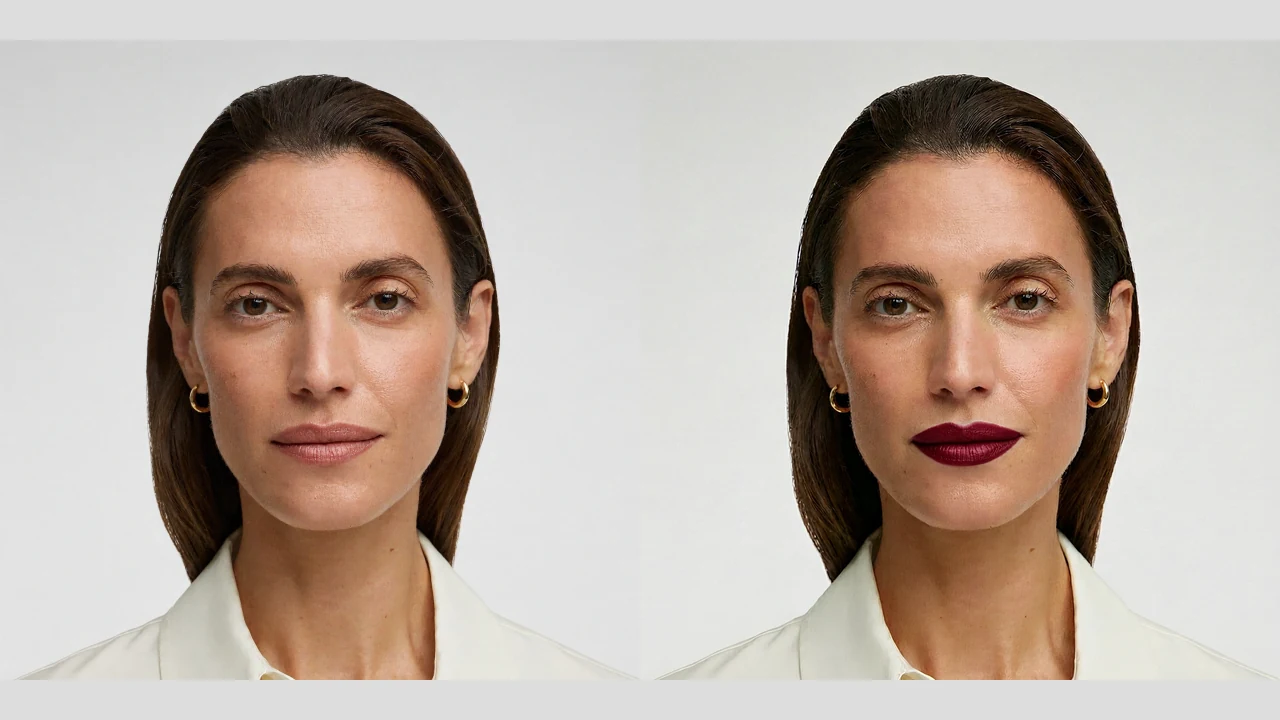
Can MiniMax H3 Image Change Only the Lipstick Color?
One synthetic adult portrait edit changed nude-pink lips to berry red, but other details changed too. Compare both prompts, actual files and fixed regions.
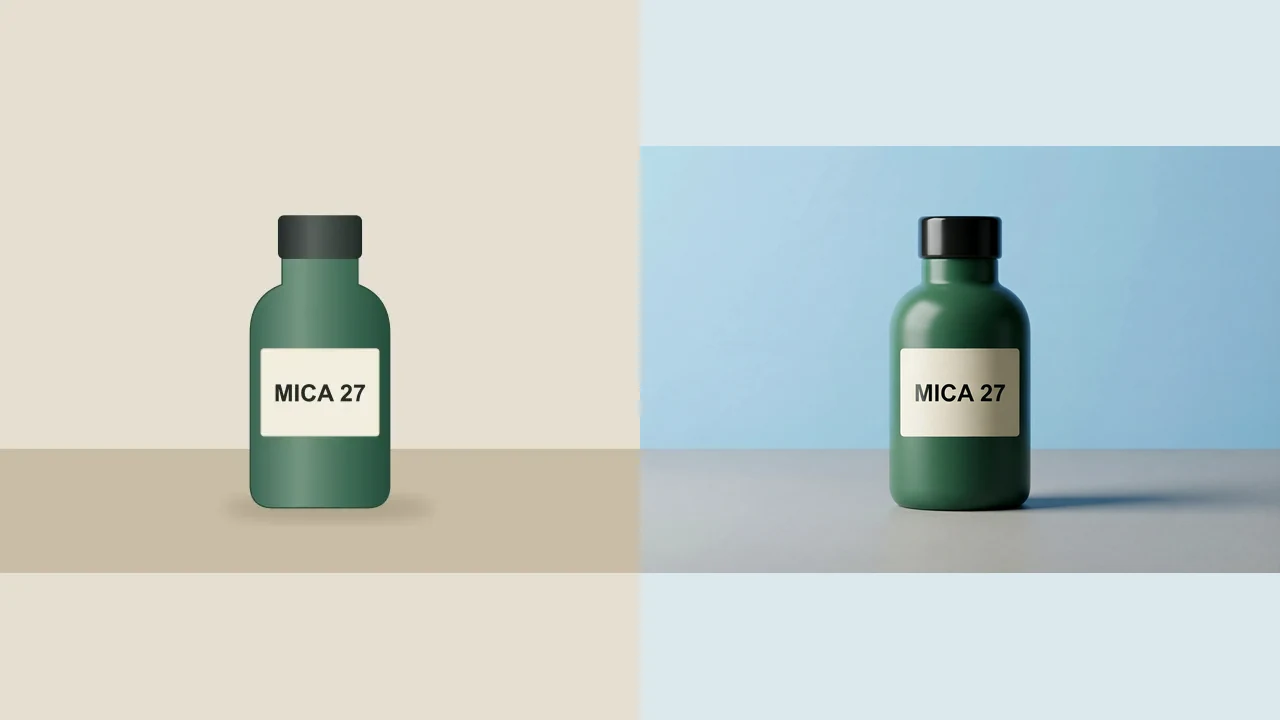
Does MiniMax H3 Image Keep a Product Label When Changing the Background?
Compare one MICA 27 bottle edit, the exact prompt and unretouched label crops. The short text remained readable, while the bottle and label rendering changed.
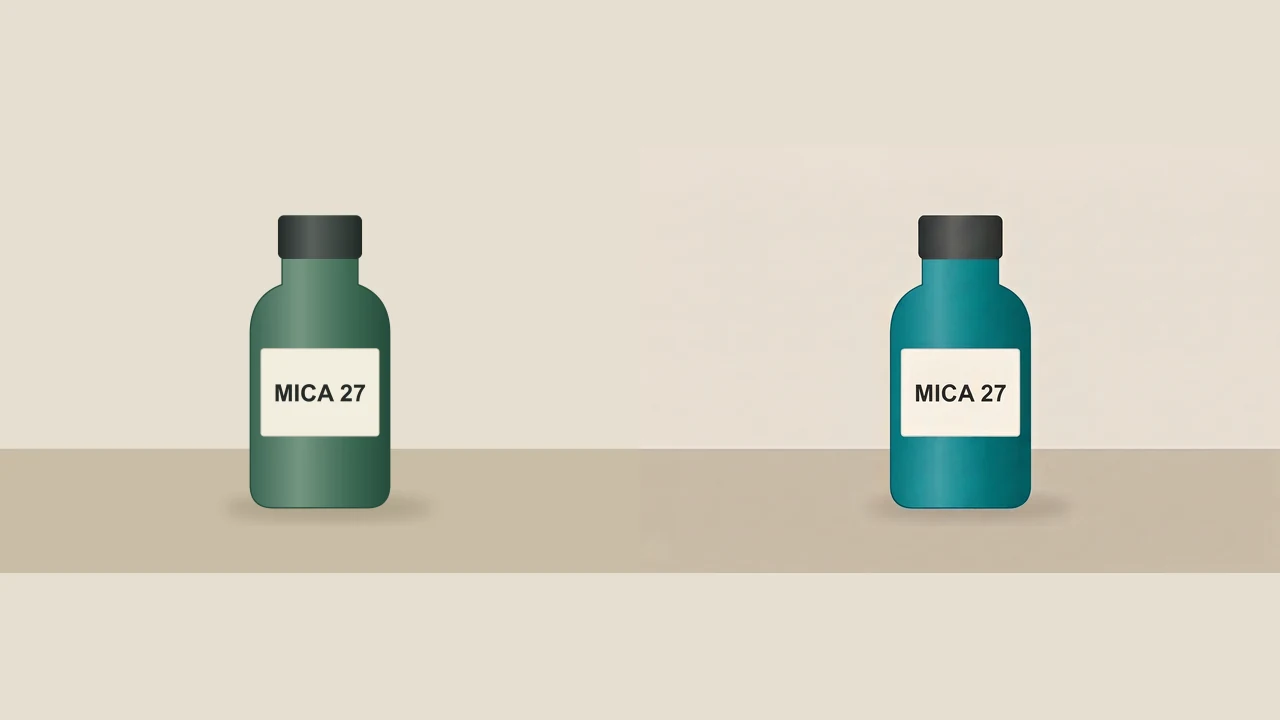
Can MiniMax H3 Image Recolor a Product to a Hex Code?
We asked for a #008080 bottle while preserving MICA 27. Compare the input, full-resolution PNG and RGB samples from the neck, shoulder and lower body.
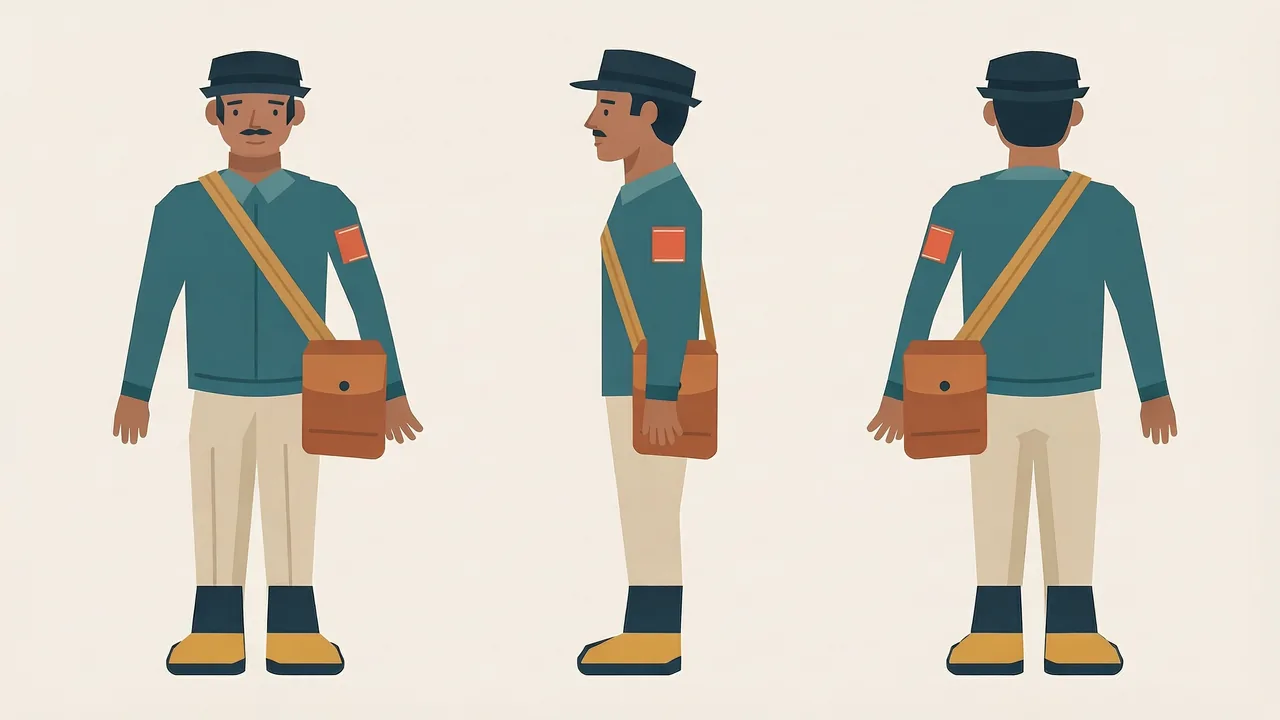
MiniMax H3 Image Character Sheet: Checking Front, Side and Back Views
Make a three-view character sheet, inspect its copied back-bag clasp, then follow a repair attempt that removed the front clasp too.

Turn a Harbor Map into an Eye-Level Still with MiniMax H3 Image
Mark a viewpoint on your harbor map, prompt an eye-level concept image, and compare five spatial relationships—including a bridge connection this sample got wrong.
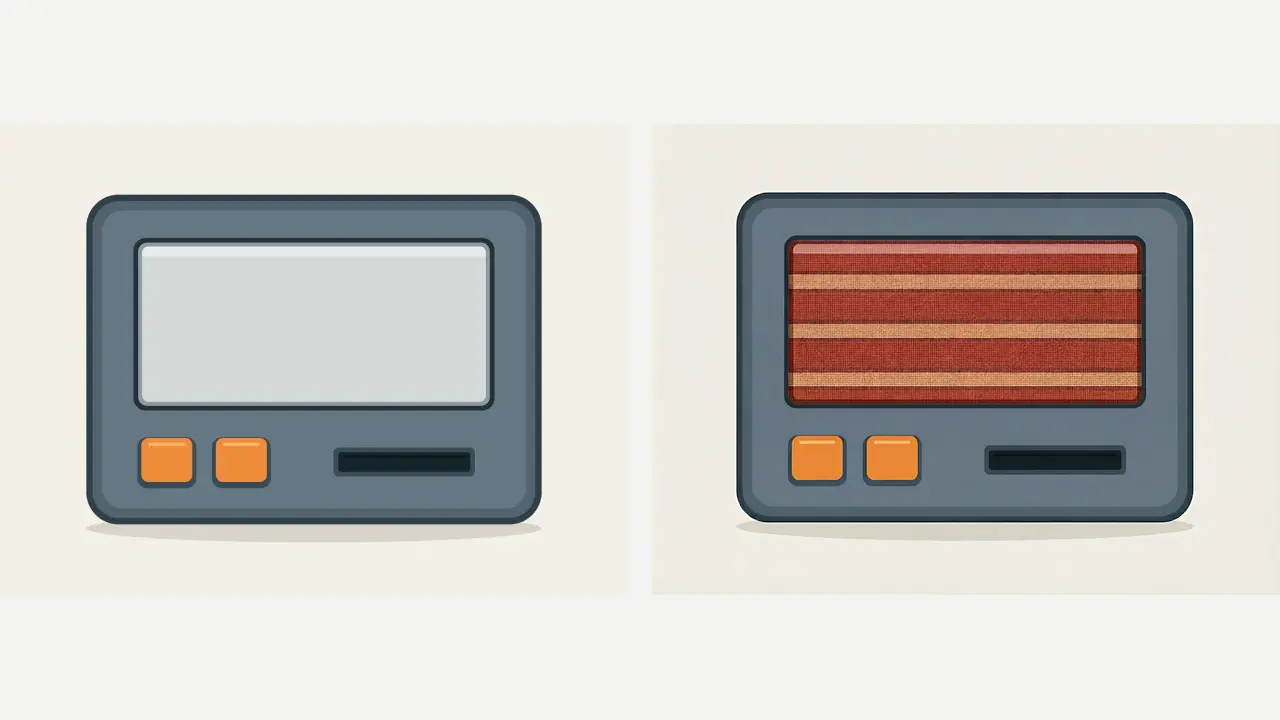
Change One Product Panel’s Material with MiniMax H3 Image
Use a product illustration and a fabric reference to change one panel with MiniMax H3 Image, then check horizontal stripes, controls and changes outside the panel.

MiniMax H3 Image Prompt Guide: Two Worked Examples
Two worked prompts plus one English/Japanese input test through this site’s English-expansion workflow. Compare the actual bottle-and-carton outputs and wording changes.
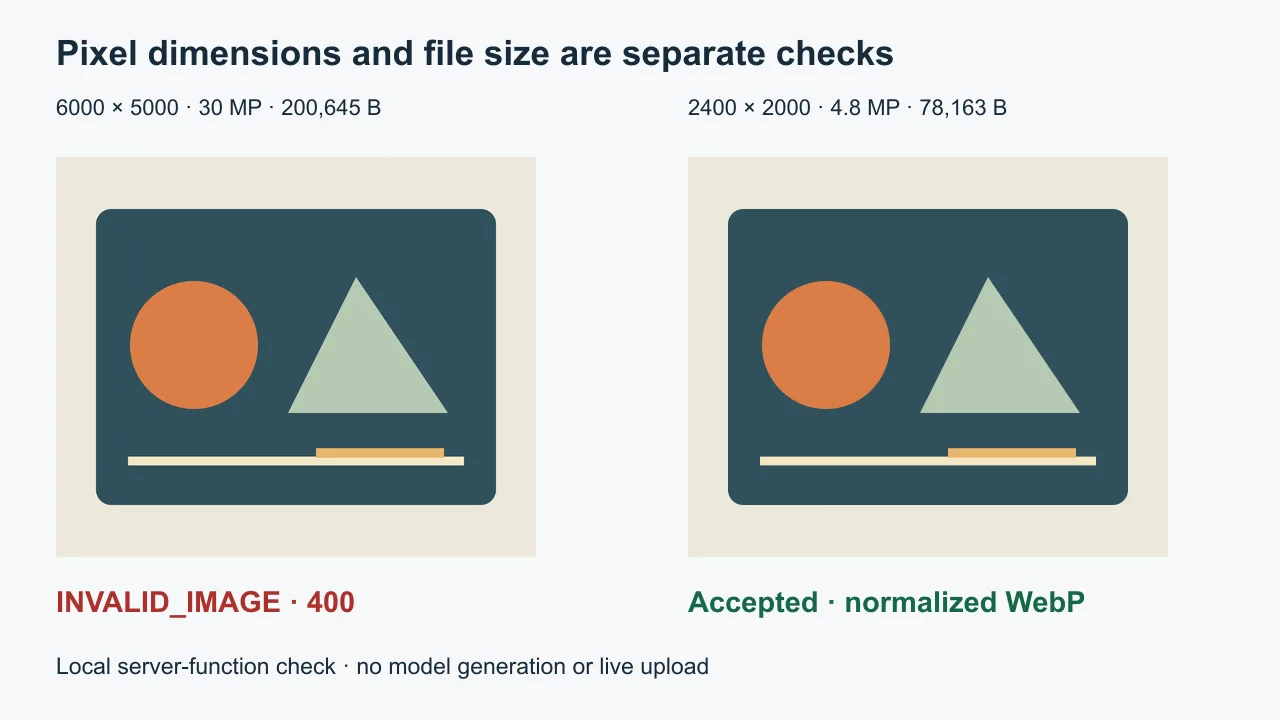
Prepare Reference Images for MiniMax H3 Image: File Size and Pixel Limits
Check reference image bytes, pixel dimensions and upload order before editing with MiniMax H3 Image, and learn when resizing helps.
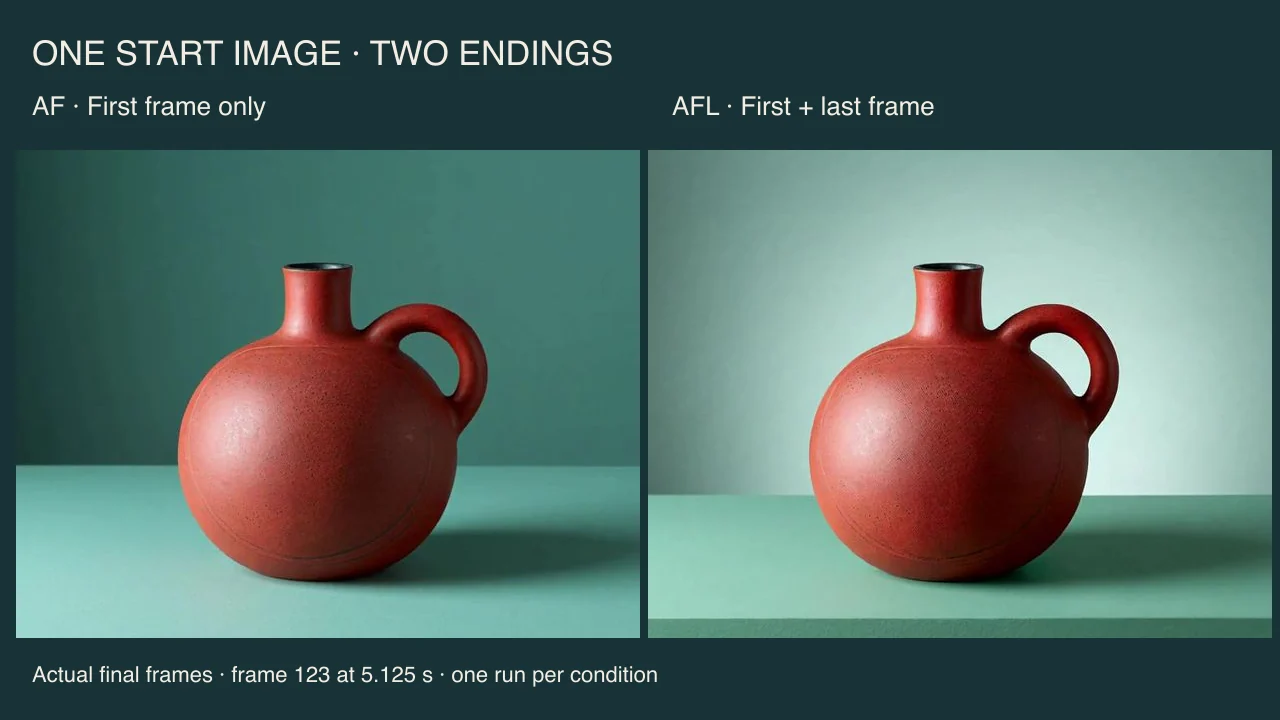
MiniMax H3 Image to Video: First Frame Only or First and Last Frame?
Compare two actual H3 videos from the same ceramic jug: a first frame alone and a first-plus-last-frame pair. Download the inputs and inspect where each clip ends.
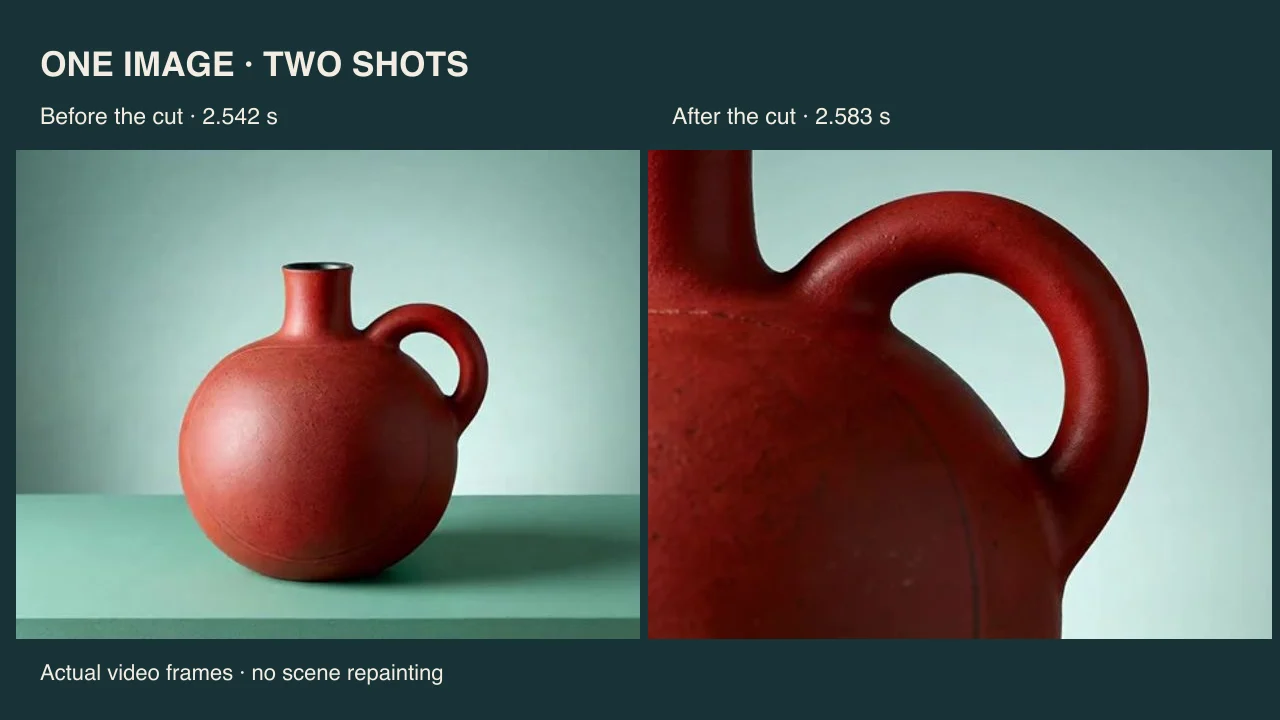
Two Shots from One Still with MiniMax H3 Image: A Hard Cut, but Later Than Requested
Use one MiniMax H3 Image still for a wide shot and a handle close-up. Inspect the recorded hard cut near 2.58 seconds, later than the requested two seconds.
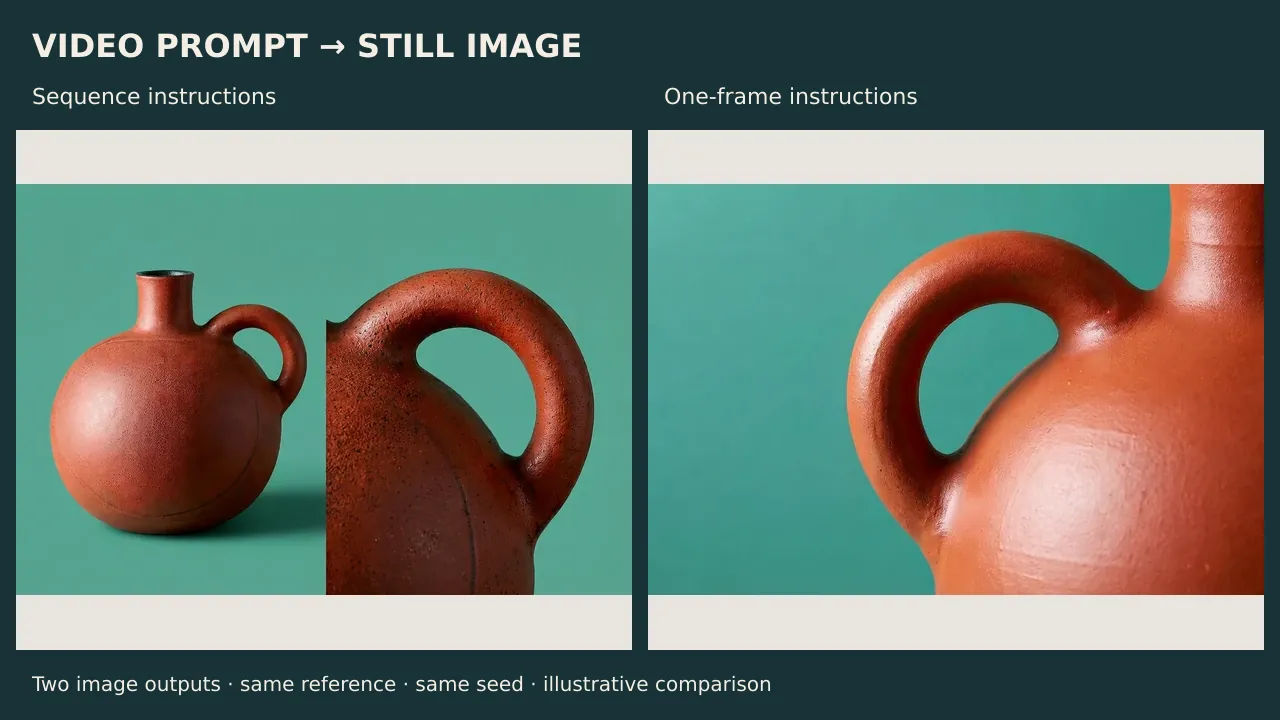
A Video Prompt in MiniMax H3 Image: Two Views in One Still
Compare two image edits of the same ceramic jug: a two-shot video prompt and a single handle close-up description. See the actual outputs and copy both prompts.
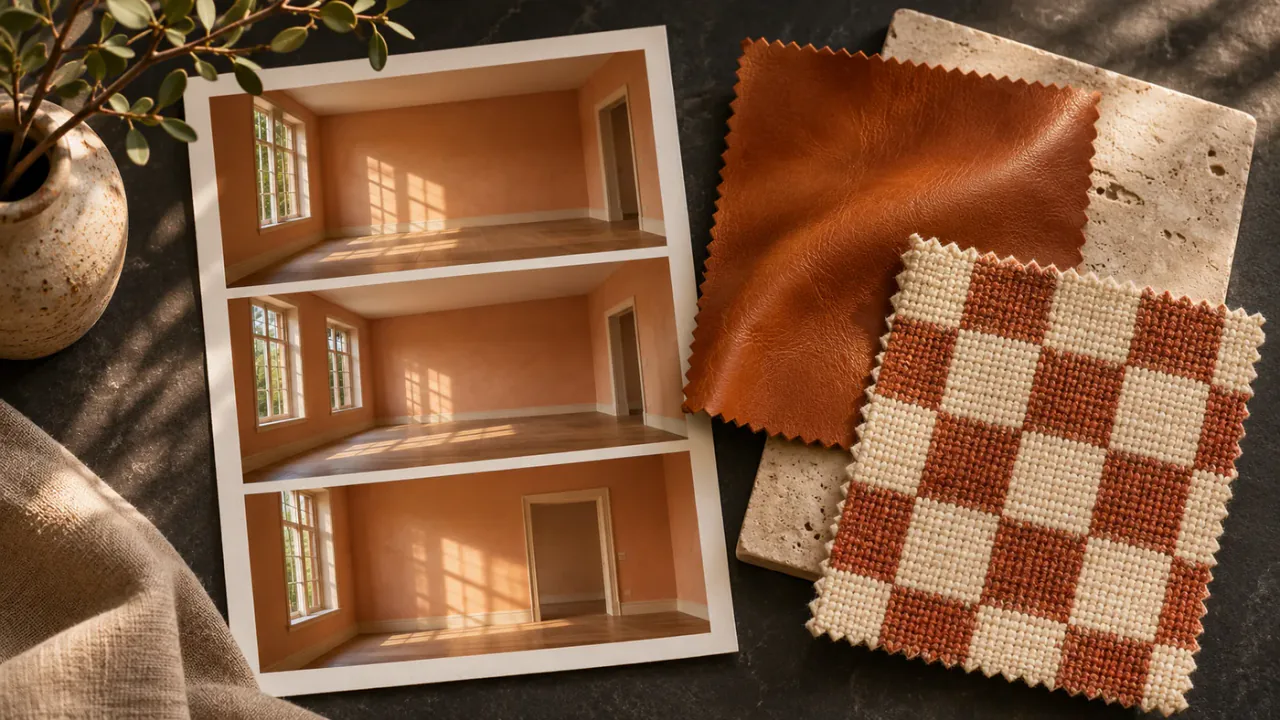
Furnish a Room with Three References in MiniMax H3 Image
Assign a room, chair and rug to three reference slots, follow the documented prompt, and check perspective, scale, shadows and missing objects.
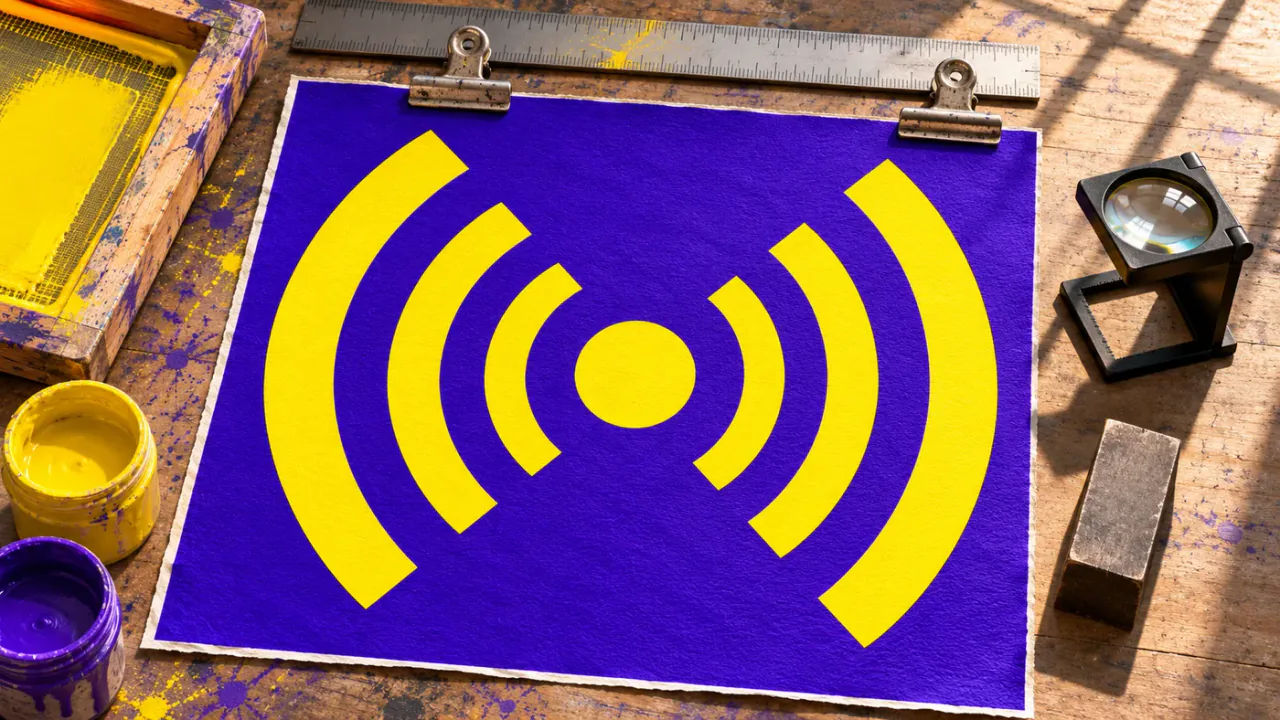
Make a Phone-Readable Event Poster with MiniMax H3 Image
See one MiniMax H3 Image poster date edit: NOV 21 became NOV 22, with visible redraws. Compare the source PNG, full prompt and result before trying it.
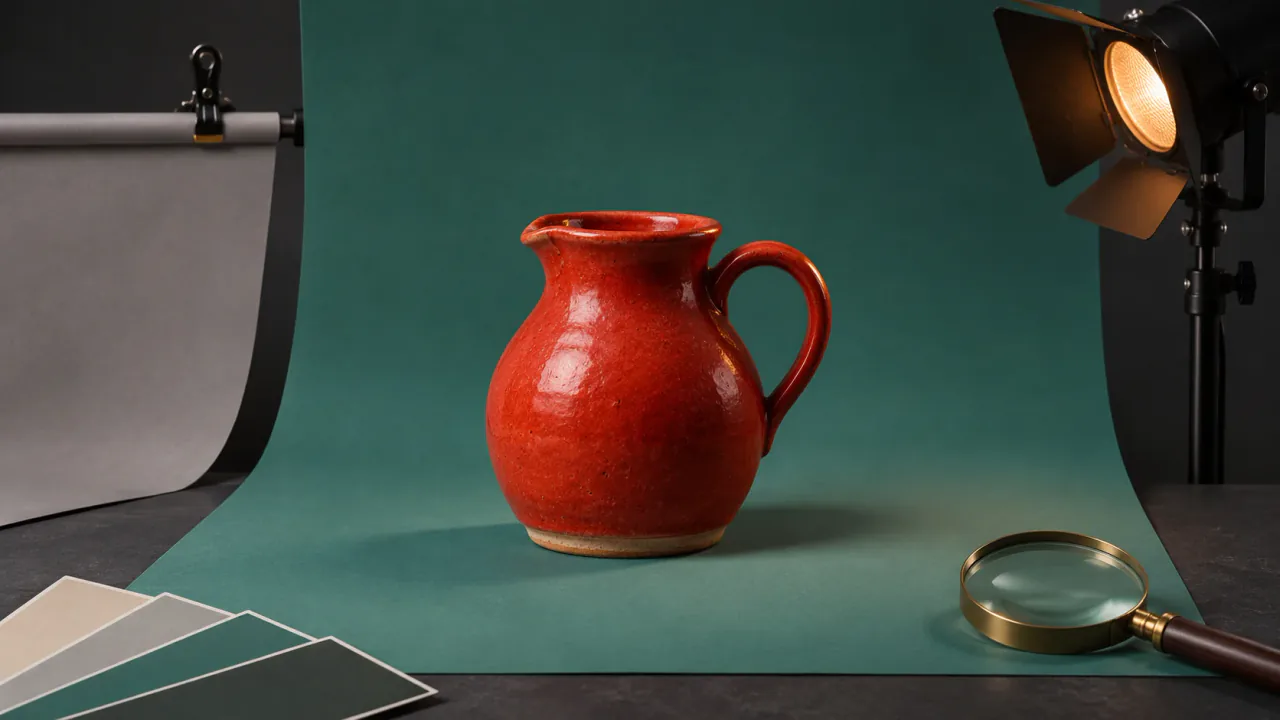
Change a Product-Style Image Background with MiniMax H3 Image
Download the opaque H3 jug PNG and a real transparent PNG made with FFmpeg. Reproduce the color-key step and inspect its pale fringes and missing highlights.
480P, 720P or 1080P? MiniMax H3 Video Costs Before You Buy Credits
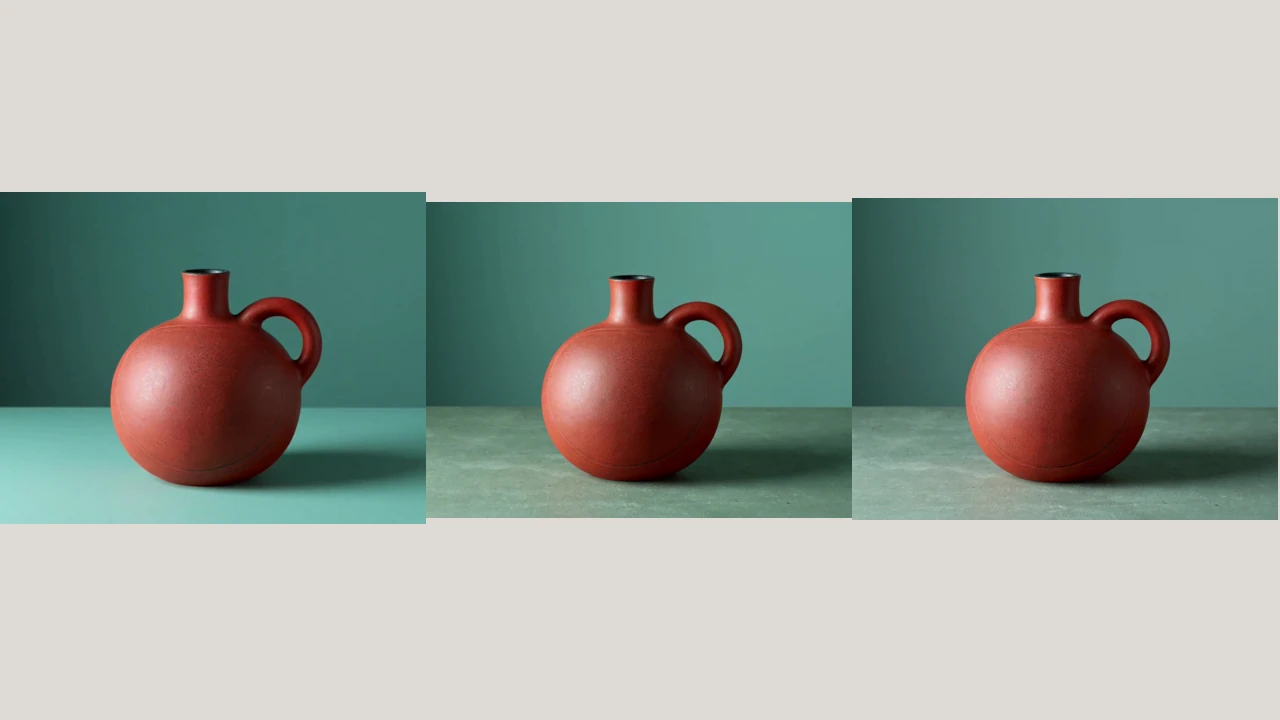
Compare five-second credit budgets and three H3 clips from the same still. Inspect delivered dimensions, matching-time frames and native MP4 downloads.